Troubleshooting Account Issues
Dear player,
We have received reports from users who were unexpectedly logged out. Our apologies for the inconvenience. We are actively working on a solution.
Below you'll find what you can do to regain access to your account.
Do you see the login screen?
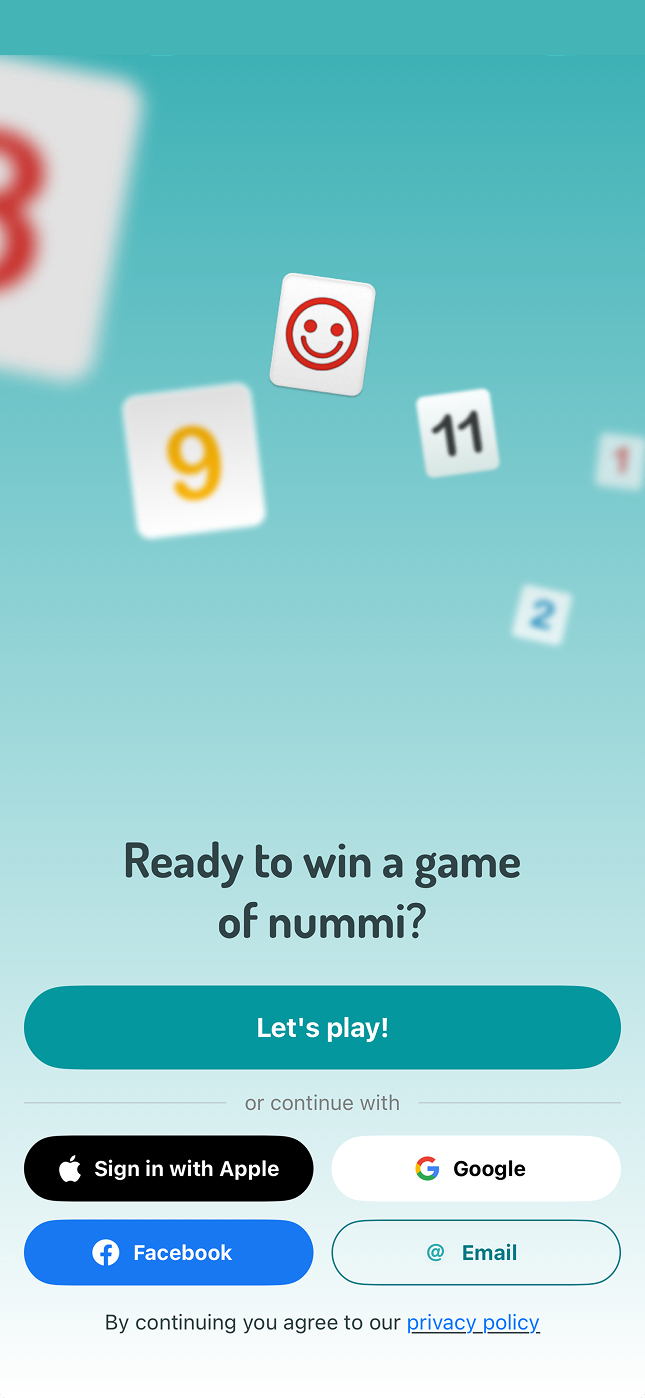
If you see the login screen, you can log in again using your usual method, such as Apple, Google, Facebook, or email.
Forgot your password? Click "Forgot password" and you will receive an email to set a new one.
Don't remember your email address or how you logged in? Contact us at :href="`mailto:${$t('contact.email')}`". We'll help you recover your account.
Do you see a different account name?
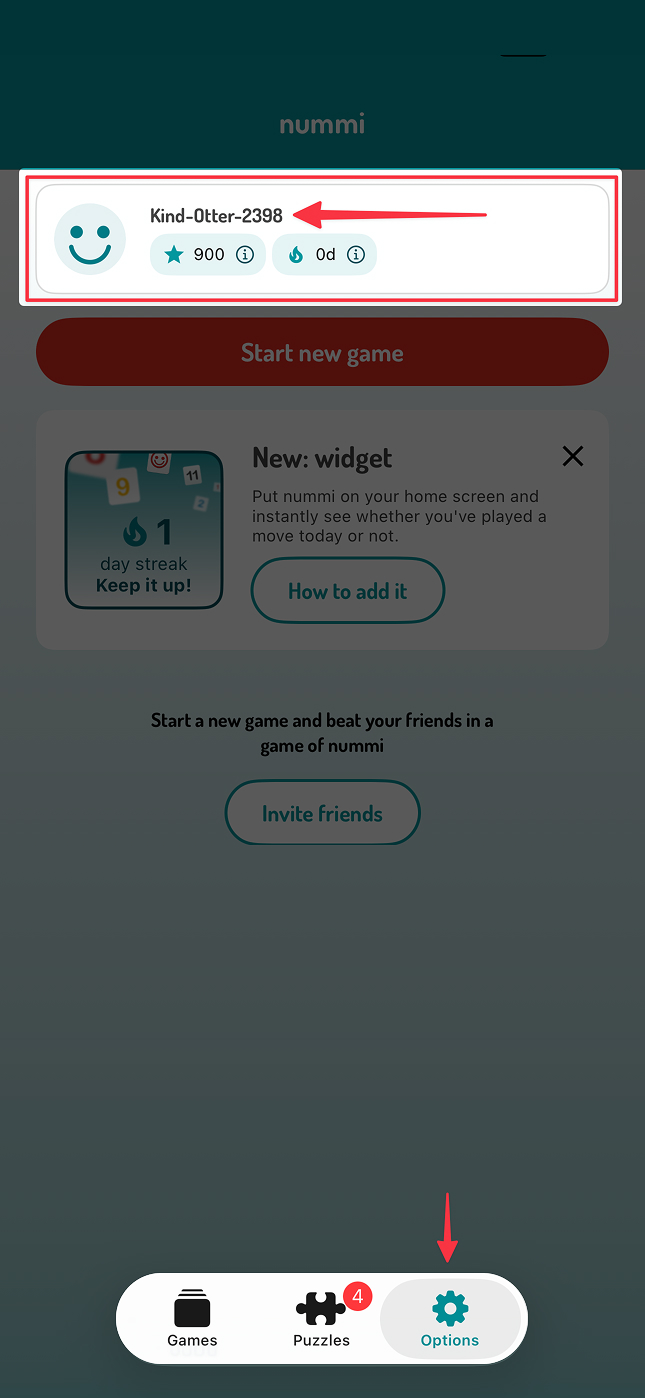
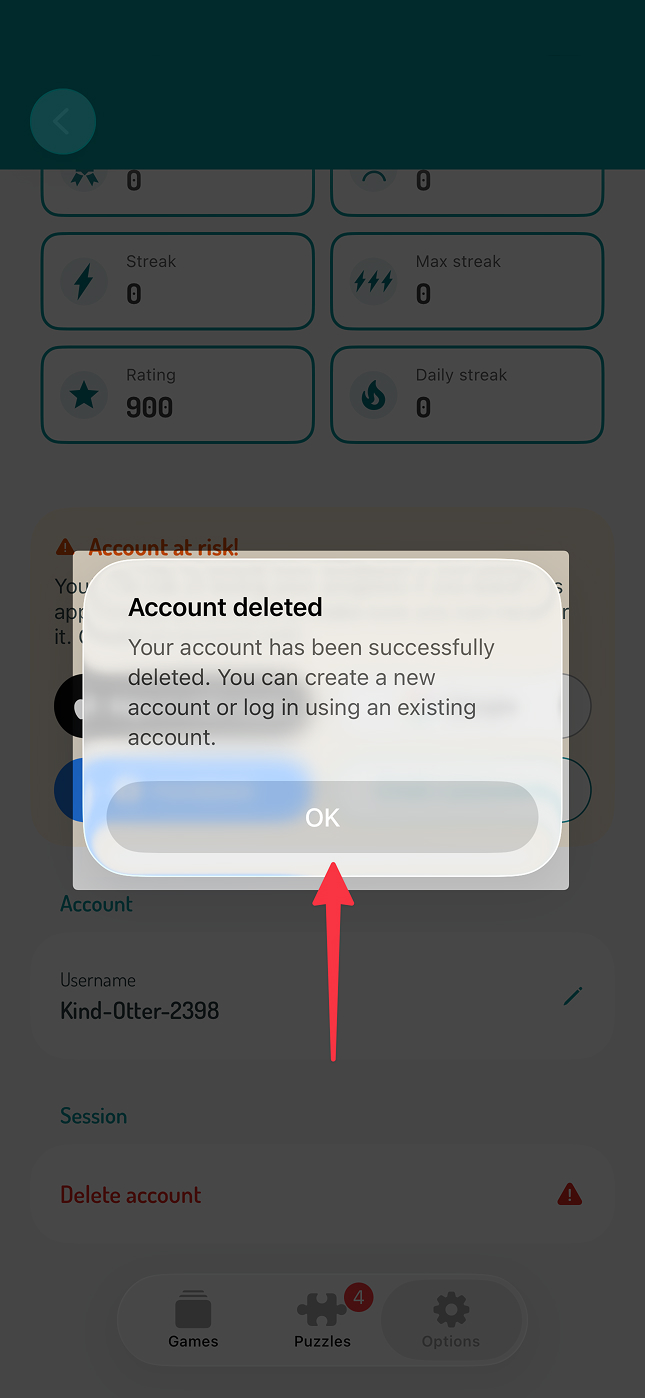
In some cases, you may have been automatically logged into a temporary guest account. You can recognize this by a random username such as 'Attent-Vos-5688'.
To log back into your own account, follow these steps:
Tap the 'options' button in the top right or bottom right corner, depending on your device and app version.
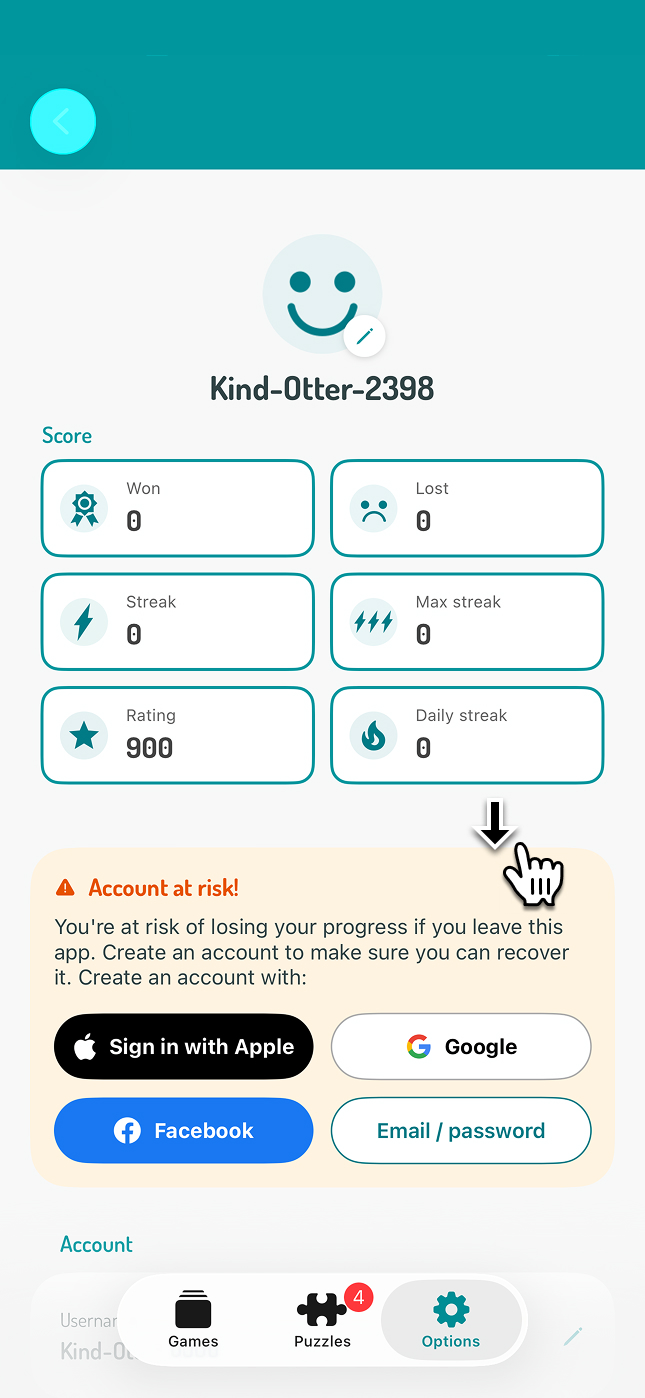
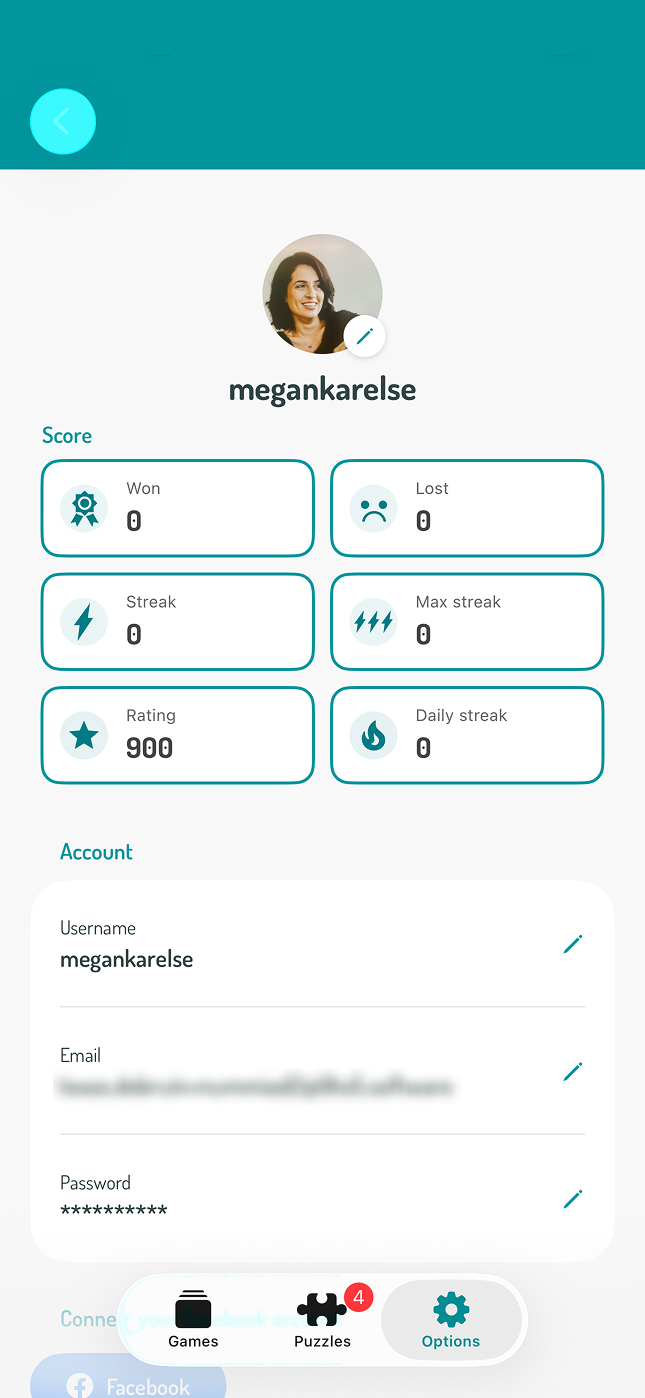
Go to 'account settings' and tap your username.
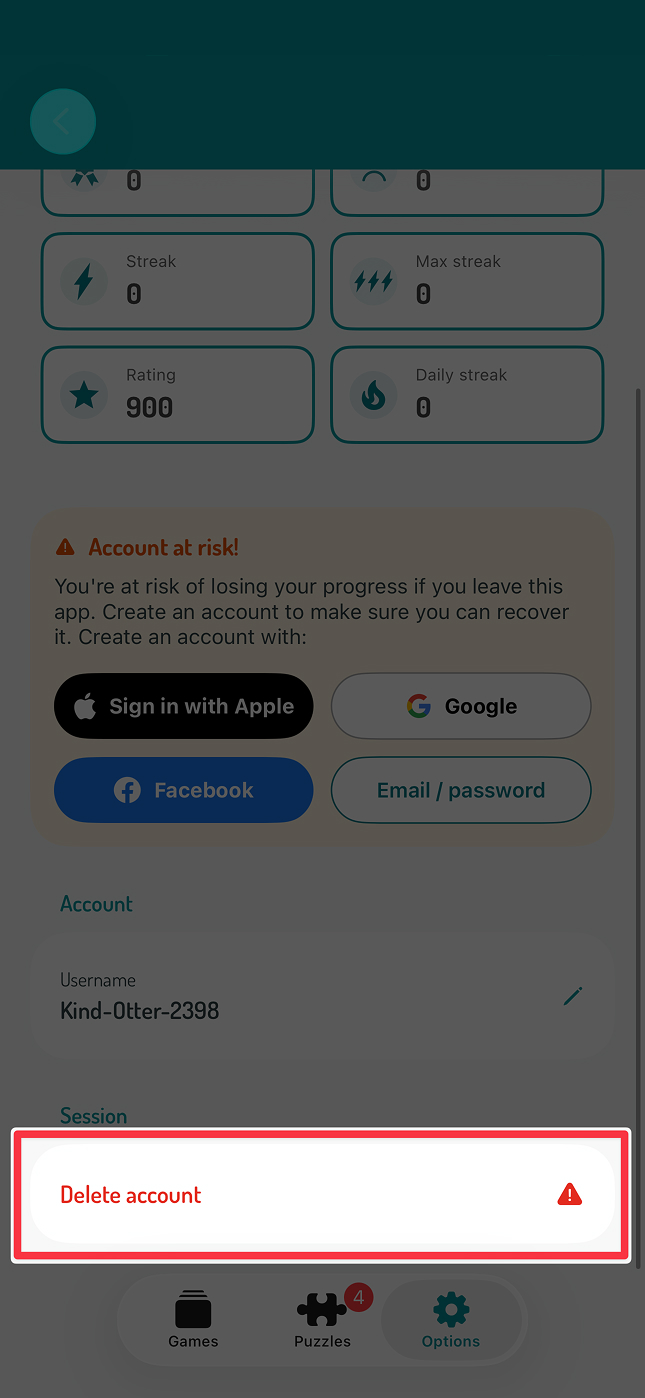
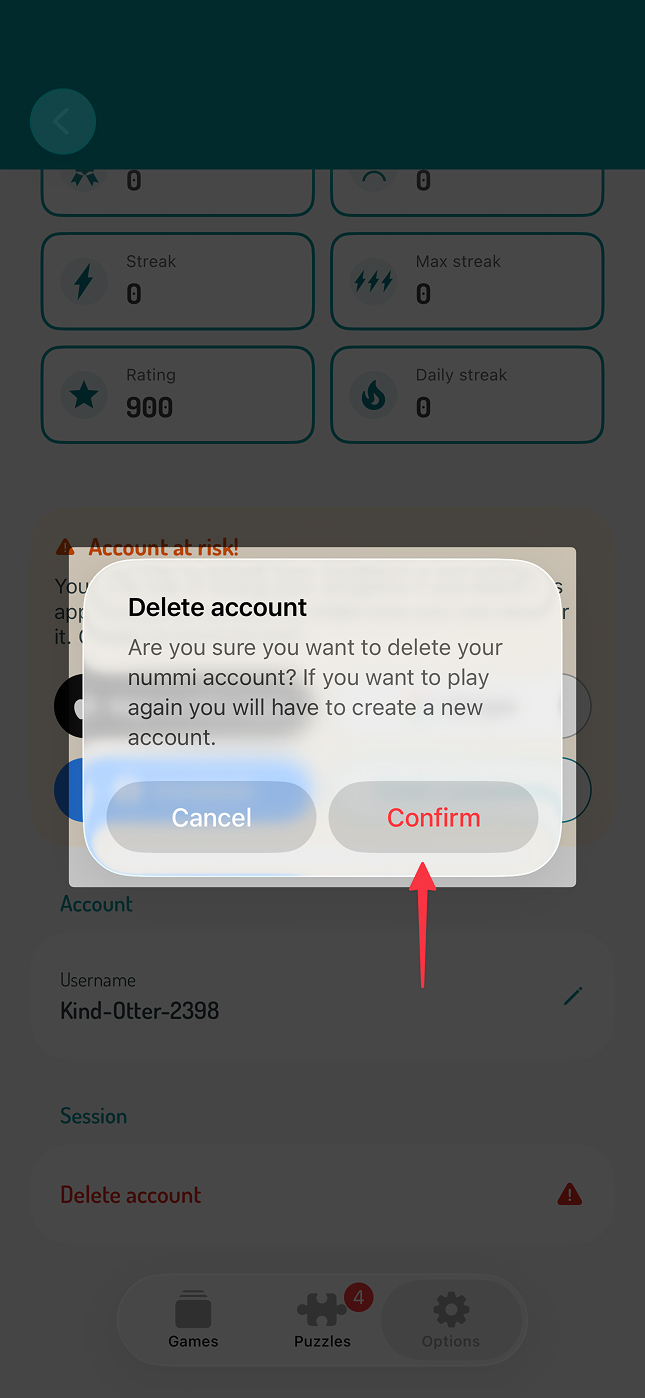
Scroll down and tap the red 'delete account' button. This will remove the guest account and return you to the login screen.
Once you are back on the login screen, choose your usual login method, such as Apple, Google, Facebook, or email.
Forgot your password? Click "Forgot password" and follow the steps in the email to reset it.
Don't remember your email address? Contact us at :href="`mailto:${$t('contact.email')}`". We're happy to help you recover your account.
These steps should restore access to your account. If you're still having trouble, please contact us at :href="`mailto:${$t('contact.email')}`". We're here to help.
You can find pictures with the instructions below:
Kind regards,
The Nummi Team